
Edit Certificate PDF for AICPA workflow
 MC
MC AS
ASSummarize this page with:
Certificates are formal documents recognizing achievements or qualifications. EasyPDF lets you customize certificate PDFs with names, dates, and signatures.
Birth certificates issued by state vital records offices; degree certificates by accredited universities; professional certifications by industry bodies (CPA, PMP, CISSP). When you need to edit your certificate without access to the source file, EasyPDF is the free online tool that preserves the original layout and runs in any browser.
Key facts at a glance
How to Edit PDF a Certificate PDF
- easypdf.frDrop PDF hereChoose file
- easypdf.frRecommendedHigh qualityMaximum compression
- easypdf.frProcessing…
Use case examples
- Training certificates
- Academic diplomas
- Award certificates
- Compliance certificates
The certificate PDF in a US business context
A certificate PDF circulating in the US needs to satisfy specific expectations: Birth certificates issued by state vital records offices; degree certificates by accredited universities; professional certifications by industry bodies (CPA, PMP, CISSP). The tool you use to edit it must preserve the document's integrity while allowing the necessary adjustments.
How to edit a certificate PDF
- Upload your file
Drag and drop your certificate PDF or click to select a file from your device.
- Edit your document
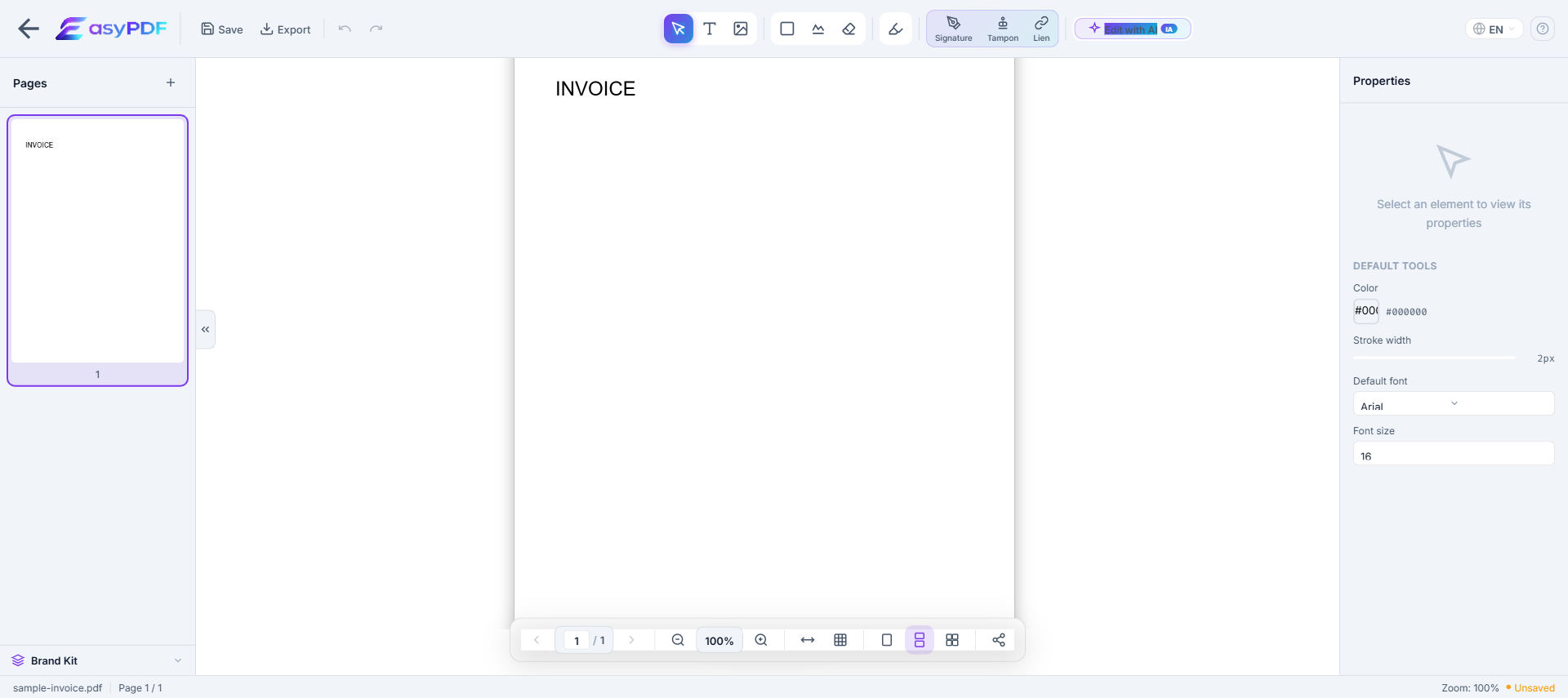
Use EasyPDF tools to edit your certificate PDF as needed.
- Download the result
Click the download button to save your modified PDF file. No watermark.
Edit operations available on a PDF
What you can change directly without converting to Word.
- Replace text
- Change words while keeping fonts and positioning
- Add text
- Insert new text in a chosen location
- Delete text
- Remove words or whole paragraphs
- Edit images
- Replace, resize, or remove embedded images
- Add annotations
- Highlights, comments, sticky notes
- Redact text
- Permanently remove sensitive content (not just hide it)
- Add signatures
- Sign or stamp the document inline
- Fill form fields
- Type into existing form inputs without flattening
For complex re-layout (multi-column, magazine style), converting to Word and re-exporting is often easier.
Typical scenarios
- Fix an error on a certificate you have already shared (amount, mandatory mention, party identity)
- Archive your certificate for the legally required period (Birth certificates valid indefinitely; professional certifications renewed every 3 years (CPA, PMP); CME requirements annual for medical.)
- Bring your certificate into compliance before a deadline ( per )
- Prepare your certificate for a third party (USCIS, NCEES, banker, accountant, attorney)
- Build an audit-ready package for a review (AICPA, IRS audit, internal compliance)
Why editing a certificate PDF is difficult
- PDFs were not designed for editing — text is absolutely positioned
- Original fonts are often embedded and hard to reproduce
- Converting to Word breaks layout, tables, and columns
- Free tools add watermarks or limit functionality
How EasyPDF solves this
- AI-powered font recognition — detects and matches original fonts
- Direct in-PDF editing — no conversion needed
- Preserves layout, tables, and images
- Completely free, no watermarks
- Client-side processing — your files stay private
Edit your certificate PDF now
Use EasyPDF to edit your certificate PDF for free, directly in your browser.
Edit a Certificate PDFEasyPDF vs alternative tools
- No sign-up required, unlike services that gate the download behind a forced registration
- Browser-side processing: your certificate stays on your device, GLBA and HIPAA-friendly
- Output works with USCIS and NCEES without extra cleanup
- Original fonts and layout preserved, which avoids rejection by USCIS or internal audit
- No watermark on the output, unlike most free online tools that visibly degrade your file
Best practices
- Date successive versions of the file to track edit history, critical in litigation
- Verify that mandatory mentions remain intact after editing (Birth certificates issued by state vital records offices; degree certificates by accredited universities; professional certifications by industry bodies (CPA, PMP, CISSP).)
- Strip metadata before external sharing (author, originating software, revision history)
- Work ahead of the deadline (Birth certificates valid indefinitely; professional certifications renewed every 3 years (CPA, PMP); CME requirements annual for medical.) instead of last-minute filing
- Anticipate the recipient's size limit: for
How a 200-person training company saved 5 days on certificate reissuance
A French professional training company discovered that 178 certificates issued in Q1 2026 had been generated with the wrong instructor name due to a data migration error. Reissuing through their LMS would have required 5 days of admin work. Their operations lead used EasyPDF to batch-correct the name field on all 178 PDFs in under 4 hours, kept the original QR validation codes intact, and shipped the corrected versions to recipients with a brief explanation email. The training body received zero complaints and 12 thank-you replies.
EasyPDF vs LMS reissuance vs Adobe for certificate edits
| Feature | EasyPDF | Adobe Acrobat |
|---|---|---|
| Fix one-off name typo | Under 30 seconds | 2-3 minutes (Pro) |
| Batch correct 100+ certificates | Manual, ~2 min each | JavaScript action |
| Preserve QR code validation | Yes, untouched | Yes |
| Add reissuance footnote | Quick text annotation | Same |
| No signup needed | Yes | Adobe ID required |
| Cost | 0 EUR | 19.99 EUR/month |
Edit a certificate PDF without breaking the design (5 steps)
- Save the original as a safety copy
Before any edit, duplicate the file and rename the duplicate "ORIGINAL-do-not-edit.pdf". This preserves the verifiable source if questions arise later.
- Open the working copy in EasyPDF
Drag the file in. Certificates often use heavy backgrounds; EasyPDF renders them without flattening, which preserves layer integrity.
- Click directly on the field to fix
For a name correction, click the recipient name. The cursor lands inside the text and the editor auto-detects the calligraphy font.
- Type the correction
Edit inline. The character spacing of calligraphy fonts can shift slightly; check the alignment by zooming to 200% after typing.
- Export and verify the QR code
Save the corrected PDF, then scan the QR code with your phone to confirm the verification URL still resolves. The URL should not change since you did not touch the QR image.
Frequently Asked Questions
Can I add names to a PDF certificate template?
Yes, EasyPDF lets you add and edit text on certificate PDFs, perfect for personalizing templates.
Is it legal to edit a certificate that has my name misspelled?
Yes, correcting a typo on a certificate issued to you is legitimate as long as you do not alter the substance (course, level, date, issuer). If the certificate is from a third party, contact them to reissue it officially when the correction matters for verification.
Will editing a certificate break the validation QR code?
QR codes encode a verification URL pointing back to the issuer database. Editing the printed name does not change the URL, so the QR code keeps working. Verifiers checking the QR will see the original name in the issuer database, which may differ from the printed name.
How do I edit a certificate while keeping the issuer signature image?
EasyPDF treats signature images as separate elements from text. You can click into the recipient name field and edit it freely without affecting the signature image. The signature will remain pixel-identical to the original.
Can I edit a certificate that has a security watermark?
Yes. EasyPDF preserves visual watermarks (background patterns, security textures) on edit. If the watermark is a separate image layer behind your text, your edit only changes the text layer above it. The watermark stays exactly where it was.
How do I change the issue date on a certificate without breaking the layout?
Click the date field, delete the existing date, and type the new one in the same format (DD/MM/YYYY or whatever the original used). Length differences (e.g., 1 vs 11) can shift alignment; the editor shows live preview so you can adjust if needed.
What if my certificate uses a non-standard font that does not render?
EasyPDF includes 1,400+ font families and auto-substitutes the closest match if a font is missing. For certificates with truly unique fonts, you may see a small visual difference. In that case, ask the issuer for the source file instead of editing the PDF.
Can I replace the recipient photo on a certificate that has one?
Yes. Click the photo, select "Replace image" and upload a new photo of the same dimensions. EasyPDF preserves the original crop area so you do not need to re-crop manually.
How do I add a footnote noting that the certificate was corrected?
Use the text tool to add a small annotation in the bottom margin: "Corrected on YYYY-MM-DD - typo fix". This transparency is required in some regulated professions (medical, legal) and is good practice everywhere.
Can I edit a certificate signed with a digital signature?
Editing a digitally signed certificate invalidates the signature. The PDF will still open and the edits will be visible, but the signature panel will show "Signature invalid - document modified". For digitally signed certificates, request a reissue from the original signer.
Is there a way to track who edited a certificate after the original issuance?
EasyPDF does not write editor identity into the PDF metadata on the free plan. For audit trails, save the corrected file with a timestamped filename and keep both versions in your records-management system.