
Edit Invoice PDF for QuickBooks Online workflow
 MC
MC AS
ASSummarize this page with:
Invoices are essential business documents used for billing clients and tracking payments. Whether you need to edit amounts, update client details, or add payment terms, EasyPDF makes it simple to modify your invoice PDFs without losing formatting.
When your invoice needs a quick adjustment (for example Most states require corrected invoices within 30 days of error discovery; California has a 4-year statute of limitations on sales tax records.), EasyPDF lets you edit the PDF in minutes from your browser, no sign-up and no layout damage.
Key facts at a glance
How to Edit PDF a Invoice PDF
- easypdf.frDrop PDF hereChoose file
- easypdf.frRecommendedHigh qualityMaximum compression
- easypdf.frProcessing…
Use case examples
- Freelance invoices
- Recurring billing invoices
- Proforma invoices
- Commercial invoices
The invoice PDF in a US business context
A invoice PDF circulating in the US needs to satisfy specific expectations: IRS Publication 583 requires businesses to retain invoice records for 3 to 7 years depending on state, with corrections triggering an amended return on Form 1040X if income changes. The tool you use to edit it must preserve the document's integrity while allowing the necessary adjustments.
How to edit a invoice PDF
- Upload your file
Drag and drop your invoice PDF or click to select a file from your device.
- Edit your document
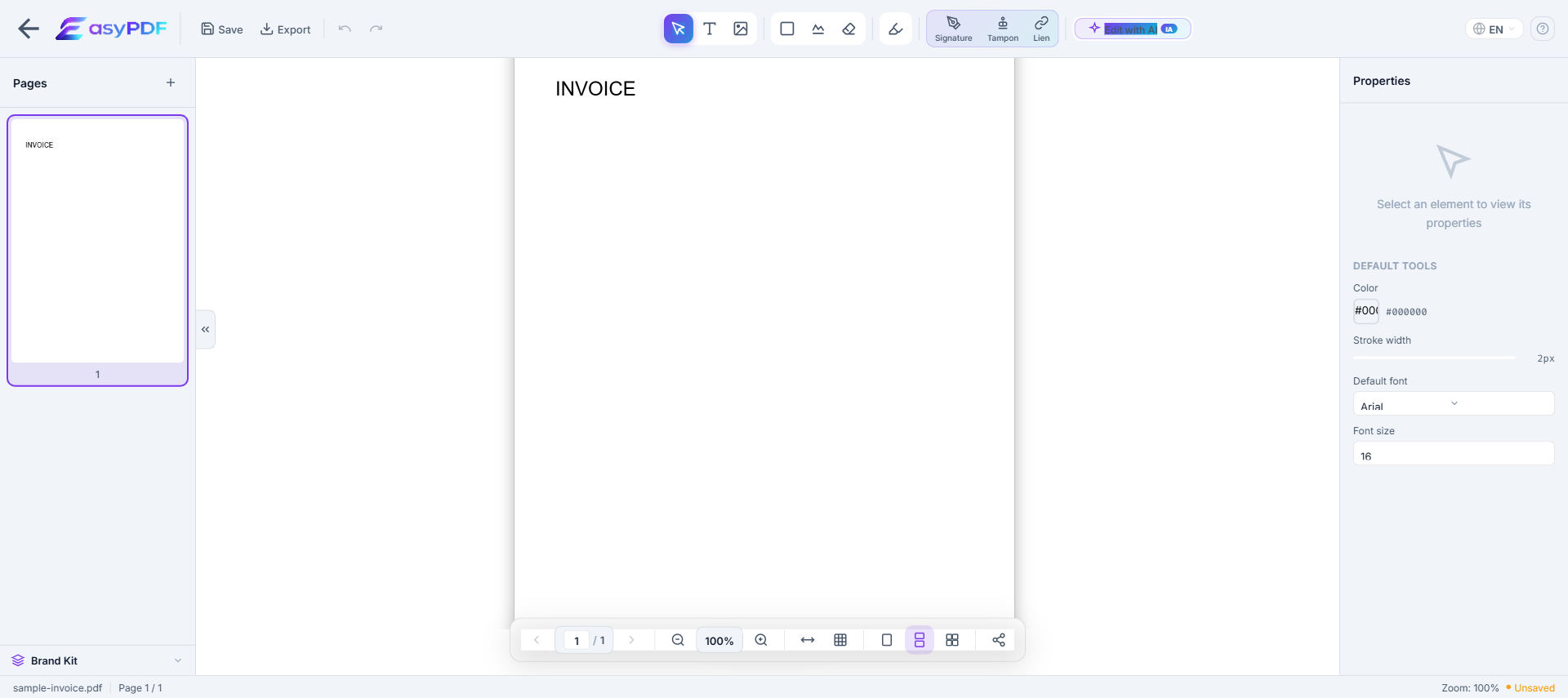
Use EasyPDF tools to edit your invoice PDF as needed.
- Download the result
Click the download button to save your modified PDF file. No watermark.
Edit operations available on a PDF
What you can change directly without converting to Word.
- Replace text
- Change words while keeping fonts and positioning
- Add text
- Insert new text in a chosen location
- Delete text
- Remove words or whole paragraphs
- Edit images
- Replace, resize, or remove embedded images
- Add annotations
- Highlights, comments, sticky notes
- Redact text
- Permanently remove sensitive content (not just hide it)
- Add signatures
- Sign or stamp the document inline
- Fill form fields
- Type into existing form inputs without flattening
For complex re-layout (multi-column, magazine style), converting to Word and re-exporting is often easier.
Typical scenarios
- Build an audit-ready package for a review (Xero, IRS audit, internal compliance)
- Adapt the invoice to a target platform's constraints (Coupa caps supplier invoice attachments at 10 MB, Ariba at 5 MB per document, and SAP Concur at 5 MB for receipt PDFs.)
- Update contact details after a change (relocation, new EIN, merger, name change)
- Archive your invoice for the legally required period (Most states require corrected invoices within 30 days of error discovery; California has a 4-year statute of limitations on sales tax records.)
- Prepare your invoice for a third party (IRS Publication 583, QuickBooks Online, banker, accountant, attorney)
Why editing a invoice PDF is difficult
- PDFs were not designed for editing — text is absolutely positioned
- Original fonts are often embedded and hard to reproduce
- Converting to Word breaks layout, tables, and columns
- Free tools add watermarks or limit functionality
How EasyPDF solves this
- AI-powered font recognition — detects and matches original fonts
- Direct in-PDF editing — no conversion needed
- Preserves layout, tables, and images
- Completely free, no watermarks
- Client-side processing — your files stay private
Edit your invoice PDF now
Use EasyPDF to edit your invoice PDF for free, directly in your browser.
Edit a Invoice PDFEasyPDF vs alternative tools
- No sign-up required, unlike services that gate the download behind a forced registration
- Browser-side processing: your invoice stays on your device, GLBA and HIPAA-friendly
- Output works with IRS Publication 583 and QuickBooks Online without extra cleanup
- Original fonts and layout preserved, which avoids rejection by IRS Publication 583 or internal audit
- No watermark on the output, unlike most free online tools that visibly degrade your file
Best practices
- Date successive versions of the file to track edit history, critical in litigation
- Verify that mandatory mentions remain intact after editing (IRS Publication 583 requires businesses to retain invoice records for 3 to 7 years depending on state, with corrections triggering an amended return on Form 1040X if income changes.)
- Strip metadata before external sharing (author, originating software, revision history)
- Work ahead of the deadline (Most states require corrected invoices within 30 days of error discovery; California has a 4-year statute of limitations on sales tax records.) instead of last-minute filing
- Anticipate the recipient's size limit: 25 MB for Gmail attachment limit
How a 12-person consultancy fixed 60 invoices in one afternoon
A Lyon-based digital consultancy discovered their accounting software had been applying the wrong VAT rate (19.6% instead of 20%) on every B2B invoice issued in Q1 2026. Reissuing 60 PDF invoices from scratch would have required 2 days of work. Using EasyPDF, their office manager opened each PDF, corrected the rate, updated the recalculated total, and re-saved in under 4 minutes per invoice. Total time: 3.5 hours. Cost: zero, vs the 480 EUR they were quoted to outsource the rework.
EasyPDF vs Adobe Acrobat for invoice editing
| Feature | EasyPDF | Adobe Acrobat |
|---|---|---|
| Edit total amount inline | Yes, click any number to change | Yes (Pro plan, 19.99/mo) |
| Auto-detect VAT/tax fields | Yes (AI form detection) | Manual selection only |
| No installation required | Yes, runs in browser | Desktop install required |
| Audit trail of changes | Local revision history | Document Cloud (paid) |
| Price for occasional use | 0 EUR, no signup | 19.99 EUR/month minimum |
| Works on signed invoices | Warning shown, signature voided | Same behavior |
Edit a PDF invoice in 6 steps (under 2 minutes)
- Open the invoice in EasyPDF
Drag the PDF onto the editor or click "Open file". The page renders pixel-perfect within 2 seconds for invoices under 5 MB.
- Click directly on the field to edit
Hover over any value: amount, date, line item description. The cursor lands inside the text, so no need to select a tool first.
- Type the corrected value
Edit inline. EasyPDF auto-detects the original font and size so the edit blends with the rest of the invoice.
- Recalculate dependent totals manually
If you change a line amount, scroll to the totals block and update Subtotal, VAT and Total. EasyPDF does not auto-sum, so verify by hand.
- Save the corrected version
Click "Save". The new PDF downloads to your computer. The original file is untouched, useful for audit trails.
- Send to the client with a credit note if needed
For tax-significant corrections, attach a short credit note explaining the change. Many clients require this for their own bookkeeping.
Frequently Asked Questions
Can I edit the amounts on a PDF invoice?
Yes, EasyPDF allows you to directly edit text in your PDF invoice, including amounts, dates, and client information. The original formatting is preserved.
Is it safe to edit invoice PDFs online?
Absolutely. EasyPDF processes your files client-side in your browser. Your documents are never stored on our servers.
Can I add my company logo to a PDF invoice?
Yes, you can add images including your company logo to any PDF invoice using the EasyPDF editor.
Can I edit the tax rate on a PDF invoice without recalculating manually?
Yes, EasyPDF lets you edit individual fields including tax rates. However, you will need to manually verify that totals are correct after changing tax rates, as PDF editors do not automatically recalculate formulas like a spreadsheet would.
Will editing a PDF invoice affect its legal validity?
Editing an unsigned PDF invoice is generally acceptable for correcting errors. If the invoice has been digitally signed, editing will invalidate the signature. For signed invoices, issue a credit note and a corrected invoice instead.
How do I edit an invoice PDF that was scanned from paper?
For scanned invoices you will first need to OCR the file. EasyPDF detects scanned PDFs and offers OCR in a single click. Proofread the OCR output before relying on it, since digit recognition errors are common on small font sizes.
Can I add a new line item to an existing PDF invoice?
Yes, but it requires more care than editing existing text. Insert a new row above the totals, copy the formatting from an adjacent row, and update Subtotal and Total accordingly. For multi-line additions, regenerating the invoice from your accounting tool is faster.
How do I replace the company logo on an invoice template?
Use the image replace tool: click the existing logo, then choose "Replace image" and upload the new PNG or SVG. Match the original dimensions to avoid layout shift. EasyPDF preserves transparency on PNG and SVG uploads.
What happens to embedded fonts when I edit an invoice?
EasyPDF reuses the same embedded font for new text whenever the font is included in the PDF. If the font is missing (rare for invoices), the editor substitutes the closest match from Google Fonts and warns you visually.
Can I edit invoices in bulk?
For the same edit applied across many invoices (e.g. updating a contact email on 200 invoices), use the bulk edit feature. For invoice-by-invoice edits, the single-file editor is faster than scripting a batch.
How do I keep an audit log of the invoice changes?
Save each version with a timestamped filename (e.g. invoice-2026-04-INIT.pdf, invoice-2026-04-CORR.pdf). EasyPDF does not maintain a built-in audit log on the free plan; for regulated industries, export to your DMS after each edit.
Is it safe to edit invoices with sensitive client data online?
EasyPDF processes files in the browser by default, so the invoice content does not leave your machine. Check the privacy indicator (a green padlock) in the editor toolbar to confirm browser-side mode is active.
Can I convert an edited PDF invoice back to Word or Excel?
Yes. After saving your edits, use the PDF-to-Word or PDF-to-Excel converter. Tables convert with reasonable fidelity for invoices that have a clear column structure. Expect to clean up formatting if the invoice has multiple tax brackets or sub-totals.