
Edit Receipt PDF free, Expensify ready
 SM
SM DK
DKSummarize this page with:
Receipts are proof of purchase documents essential for expense tracking and reimbursements. EasyPDF lets you edit, annotate, and organize receipt PDFs efficiently.
IRS Publication 583 requires receipts and expense records to be retained 3-7 years; itemized receipts must show payee, date, amount, and tax. When you need to edit your receipt without access to the source file, EasyPDF is the free online tool that preserves the original layout and runs in any browser.

Key facts at a glance
How to Edit PDF a Receipt PDF
- easypdf.frDrop PDF hereChoose file
- easypdf.frRecommendedHigh qualityMaximum compression
- easypdf.frProcessing…
Use case examples
- Purchase receipts
- Expense receipts
- Donation receipts
- Rent receipts
Why edit a receipt PDF in the US?
A receipt PDF circulating in the US needs to satisfy specific expectations: IRS Publication 583 requires receipts and expense records to be retained 3-7 years; itemized receipts must show payee, date, amount, and tax. The tool you use to edit it must preserve the document's integrity while allowing the necessary adjustments.
How to edit a receipt PDF
- Upload your file
Drag and drop your receipt PDF or click to select a file from your device.
- Edit your document
Use EasyPDF tools to edit your receipt PDF as needed.
- Download the result
Click the download button to save your modified PDF file. No watermark.
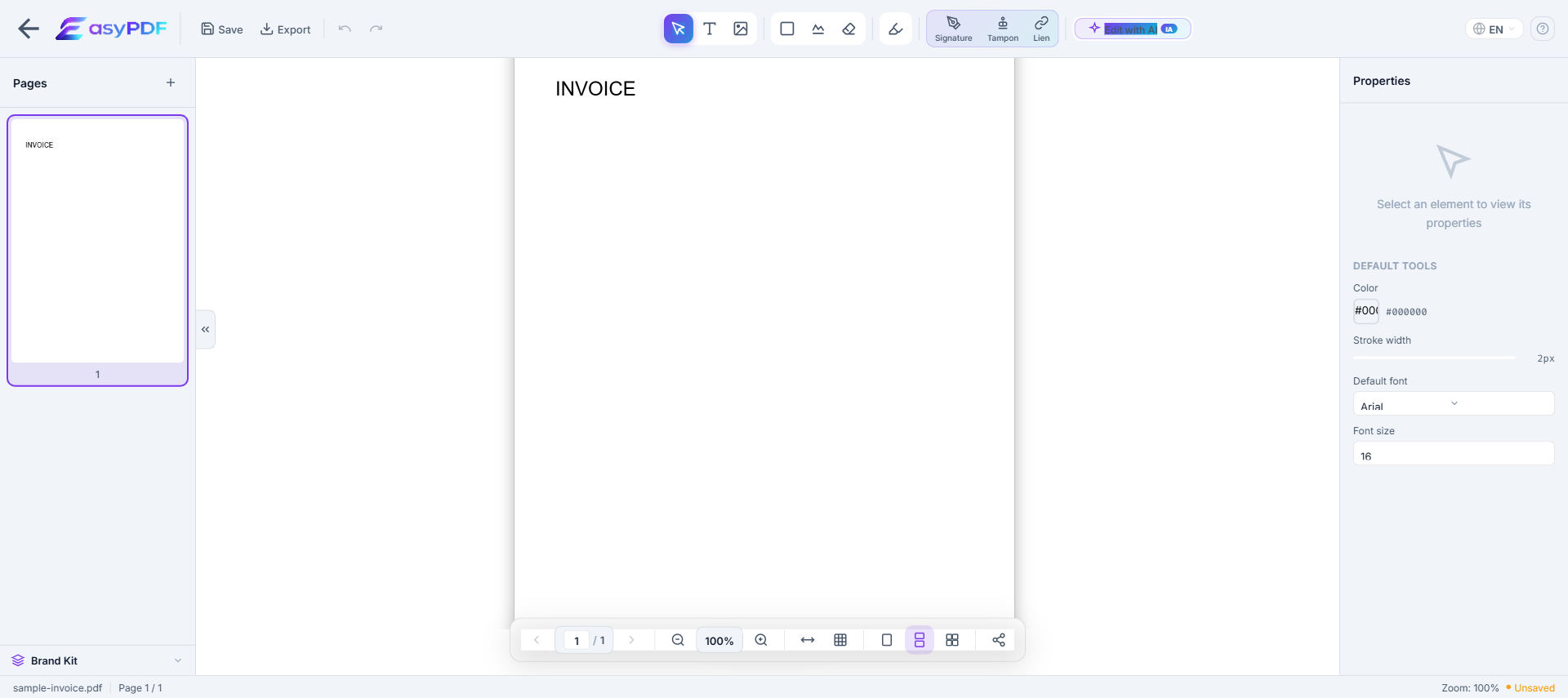
Edit operations available on a PDF
What you can change directly without converting to Word.
- Replace text
- Change words while keeping fonts and positioning
- Add text
- Insert new text in a chosen location
- Delete text
- Remove words or whole paragraphs
- Edit images
- Replace, resize, or remove embedded images
- Add annotations
- Highlights, comments, sticky notes
- Redact text
- Permanently remove sensitive content (not just hide it)
- Add signatures
- Sign or stamp the document inline
- Fill form fields
- Type into existing form inputs without flattening
For complex re-layout (multi-column, magazine style), converting to Word and re-exporting is often easier.
Main use cases
- Archive your receipt for the legally required period (Expense reports submitted within 30-60 days; tax record retention 3 years (7 if claiming losses); IRS audit window typically 3 years.)
- Prepare your receipt for a third party (IRS Publication 583, Expensify, banker, accountant, attorney)
- Fix an error on a receipt you have already shared (amount, mandatory mention, party identity)
- Adapt the receipt to a target platform's constraints (Expensify accepts receipts up to 10 MB per scan, SAP Concur 5 MB; corporate cards (Ramp, Brex) attach receipts directly to transactions.)
- Build an audit-ready package for a review (SAP Concur, IRS audit, internal compliance)
Why editing a receipt PDF is difficult
- PDFs were not designed for editing — text is absolutely positioned
- Original fonts are often embedded and hard to reproduce
- Converting to Word breaks layout, tables, and columns
- Free tools add watermarks or limit functionality
How EasyPDF solves this
- AI-powered font recognition — detects and matches original fonts
- Direct in-PDF editing — no conversion needed
- Preserves layout, tables, and images
- Completely free, no watermarks
- Client-side processing — your files stay private
Edit your receipt PDF now
Use EasyPDF to edit your receipt PDF for free, directly in your browser.
Edit a Receipt PDFEasyPDF's advantages in this context
- Browser-side processing: your receipt stays on your device, GLBA and HIPAA-friendly
- Output works with IRS Publication 583 and Expensify without extra cleanup
- Original fonts and layout preserved, which avoids rejection by IRS Publication 583 or internal audit
- No watermark on the output, unlike most free online tools that visibly degrade your file
- Instant result: you can edit your receipt and resend it within the same session
Tips for edit a receipt PDF
- Verify that mandatory mentions remain intact after editing (IRS Publication 583 requires receipts and expense records to be retained 3-7 years; itemized receipts must show payee, date, amount, and tax.)
- Strip metadata before external sharing (author, originating software, revision history)
- Work ahead of the deadline (Expense reports submitted within 30-60 days; tax record retention 3 years (7 if claiming losses); IRS audit window typically 3 years.) instead of last-minute filing
- Anticipate the recipient's size limit: for
- Use PDF/A if your receipt is destined for a long-term records management system (Iron Mountain, NetDocuments)
How a sales team processed 200 expense receipts before quarter-end
A SaaS company in Lille faced a 48-hour deadline to submit Q1 expense reports across a 15-person sales team. Each rep had 10-15 receipts mixing client lunches, taxi rides, and conference fees, often with missing expense codes. Using EasyPDF, the team manager annotated all 200 receipts in 6 hours total: adding project codes, currency conversions, and missing merchant details. The finance team approved 92% on first pass, vs the usual 65%. The 7% rejection rate was due to original receipt issues, not annotation errors.
EasyPDF vs Expensify-style apps for receipt annotation
| Feature | EasyPDF | Adobe Acrobat |
|---|---|---|
| Annotate without uploading to cloud | Yes, browser-side | Cloud upload required |
| Add project codes / categories | Free text annotation | Structured fields |
| Currency conversion notes | Manual annotation | Automatic via OCR |
| Batch annotation | One-by-one | Bulk supported |
| Free for occasional use | Yes, unlimited | 5-10 receipts/month free tier |
| Receipt remains tamper-evident | Annotations on layer above | OCR extracted to DB |
Annotate a PDF receipt for an expense report (5 steps)
- Open the receipt in EasyPDF
Drag the receipt PDF into the editor. Most receipts are small (under 500 KB) and load instantly.
- Add an annotation layer for expense codes
Use the "Add text" tool. Place a colored text box in a margin so the original receipt content remains visible.
- Note the business purpose explicitly
Write a short phrase like "Client meeting - Acme Corp - 2026-04-12". This prevents back-and-forth with finance later.
- Convert foreign currency if needed
For receipts in USD, GBP or other currencies, add the EUR equivalent using the exchange rate from your travel date. EasyPDF does not auto-convert.
- Save as a new file with a clear name
Use a naming convention like "RECEIPT-2026-04-12-Acme-15.40EUR.pdf". Finance teams love consistent filenames.
Frequently Asked Questions
Can I edit a receipt PDF for expense reporting?
Yes, EasyPDF allows you to annotate and highlight receipt PDFs for expense reports.
Is it legal to edit a receipt PDF?
Adding annotations such as expense categories or project codes is generally acceptable and common in business. Altering transaction amounts, dates, or merchant details to misrepresent a purchase is considered fraud and is illegal.
Can I combine text from a faded receipt with a clearer scan?
Yes, you can enhance the readability of a faded receipt by adjusting contrast or overlaying text from a clearer version. Keep the original scan on file as proof of the actual receipt condition.
How do I add a missing tax breakdown to a receipt PDF?
Annotate the receipt with the tax breakdown if you have supporting documentation. Label the addition clearly as an annotation so it is not confused with the original receipt content. This is useful for VAT reclaim purposes.
My receipt was a photo, not a PDF. Can I still annotate it?
Yes. Drag the JPG or PNG into EasyPDF and the editor will wrap it in a PDF container. From there, annotations work the same way. Keep the original image alongside for higher resolution if your finance system requires it.
How do I redact a credit card number on a receipt before sharing?
Use the redaction tool: select the area covering the card digits, then choose "Black out". Make sure to flatten the PDF after redacting (Save As → Flatten), otherwise the redacted area can sometimes be uncovered by another PDF editor.
Can I merge multiple receipts into one PDF for an expense claim?
Yes, EasyPDF has a free merge tool. Combine your annotated receipts into a single PDF in the order they appeared in your trip. This is the format most expense systems prefer.
What if my receipt has handwritten notes that look like the original text?
Use a distinct color (typically blue or red) and a different font (sans-serif if the receipt was serif) for annotations. This makes audit trails unambiguous and prevents accusations of receipt tampering.
How do I add a VAT calculation to a US receipt for my European employer?
US receipts rarely show VAT as a separate line. Annotate the receipt with a note like "No VAT - US merchant" so the EU finance team understands why the VAT field is empty in your expense report.
Can I add my employee ID to dozens of receipts at once?
For the exact same annotation across many receipts, the bulk-stamp feature is more efficient than opening each file. For receipts that need individual annotations (project codes vary), open them one at a time.
Will my edits to a receipt PDF be visible if printed?
Yes. Annotations added through EasyPDF are baked into the PDF on save and print exactly as displayed on screen. If you want annotations to be visible on screen but not printed, use the "comment" annotation type instead.